Last Updated on August 29, 2026 by Mihir Mohan Madhu
Yes, an iPad can be good for autism, but it depends on how it is used, what it is used for, and whether it is supporting real communication and daily life. For many autistic children, an iPad becomes a powerful tool for Augmentative and Alternative Communication (AAC), learning, and independence, especially when adults model language and build it into everyday routines. . The flip side is that an iPad can also become a source of dysregulation or isolation if it turns into unlimited, unsupervised screen time. The goal is not “iPad or no iPad”. The goal is intentional use, with a clear plan and support.
In this post, I’m going to walk you through what I tell families and SLPs when the question is, “Is an iPad good for autism.” We will talk about AAC, social connection, literacy, daily routines, common pitfalls, and exactly how to set it up so it actually helps.
Quick take. An iPad is most helpful for autism when it is used as a tool for communication, learning, and participation, not just as entertainment. The best results usually come when a team models language on the device, personalizes vocabulary, and uses it consistently across real-life routines. .
What parents usually mean when they ask, “Is an iPad good for autism.”
When I hear this question, I usually think about the underlying concern. Parents and clinicians are often trying to figure out whether the iPad will help with communication, whether it will worsen screen dependence, and whether it can support learning without triggering meltdowns. That is a lot to carry, and I get it.
Here are the most common “hidden questions” behind the iPad question.
- Will my child talk less if we use an AAC app.
- Will my child get “stuck” on the iPad and refuse other activities.
- Can an iPad help with behavior.
- Is it a learning tool or just a distraction.
- How do I use it without feeling guilty.
Let’s move on to the part that usually matters most… communication.
When an iPad is especially helpful for autism, AAC and communication.
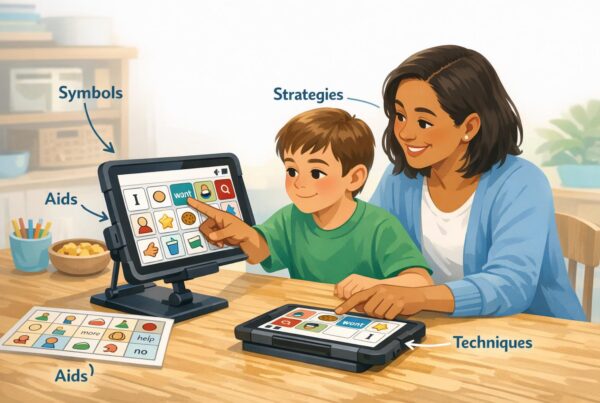
If your child is minimally speaking, non-speaking, or has unreliable speech, an iPad can become a voice through AAC. AAC includes tools and strategies that support or replace speech, ranging from picture boards to high-tech speech-generating systems.
This matters because communication is not just something that is “nice-to-have.” Communication is a basic human right. Communication allows access to safety, connection, learning, and autonomy. I want to say something very clearly, because it gets misunderstood all the time. AAC is not a last resort. It is language access. .
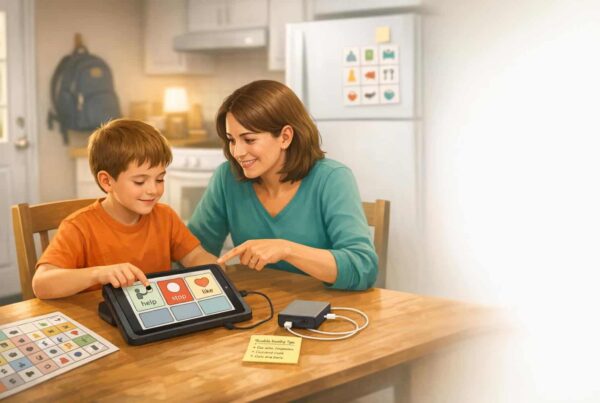
When AAC is implemented well, the iPad is not just a requesting tool. It supports a child in saying things like “help,” “stop,” “go,” “I like that,” or “that’s funny,” which are the building blocks of real relationships. .
What “good AAC use” on an iPad actually looks like in real life.
Here is a picture of what I consider a strong, healthy iPad setup for autism support. It is simple, it is consistent, and it is built around daily life.
- The device is always available. It is charged, within reach, and treated like a communication tool. .
- Adults model language on it. Not as a test, and not only in therapy, but throughout the day. .
- Vocabulary is personalized. It includes favorite people, topics, and phrases that matter to the child. .
- The child gets to communicate more than wants. They get language for commenting, refusing, joking, and asking questions. .
Now let’s talk about the biggest “make or break” factor I see in the real world- modeling.
Why modeling matters more than the app, and what to do instead of prompting nonstop.
A lot of families are given an iPad with an AAC app and then told, “Use it to make requests.” Then they spend weeks prompting their child to press buttons, and everyone ends up frustrated. If that is you right now, do not worry about it. This is incredibly common.
The approach that consistently works better is AAC modeling, also called aided language stimulation. It means the adult uses the AAC system while speaking, showing the child how language works on their device. . It also means you do not force a response. It is not a test. .
If you are an SLP reading this, you already know that language input drives language growth. AAC is no different. The child needs to see their system used for real communication across contexts. .
A simple way to start modeling today.
Try one or two words, many times a day, in moments that already exist. For example, if you are pouring juice, you can model “more” or “drink.” If you are leaving the house, you can model “go.”
You can also build in language that reduces frustration, like “help,” “break,” and “stop,” which supports self-advocacy and can reduce the need for behavior to do the communication job. .
Can an iPad help with learning and literacy for autistic children?
Yes. Especially when AAC is integrated into literacy activities. Non-speaking and minimally speaking learners are often left out of reading instruction because traditional lessons require spoken answers. AAC can bridge that gap by giving the child a way to participate in comprehension, prediction, retelling, and writing. .
Here is one of my favorite mindset shifts. Literacy is meaning-making. If a child cannot speak, they still deserve full access to meaning-making. AAC gives them a path to show understanding, not just sit quietly while everyone else answers questions. .
A practical example, using an iPad AAC system during reading time.
Let’s say you are reading a picture book. Before reading, you add a few key words to the device, like character names, feelings, and core words like “go,” “want,” and “stop.” During reading, you pause to model comments and predictions. After reading, you invite the child to retell one part of the story using their device. .
This is exactly the kind of support that helps children participate meaningfully in school routines, not just in therapy.
When an iPad can be unhelpful for autism, and how to avoid the common pitfalls.
An iPad is not automatically good or bad. It is a tool. The biggest downside I see is when the iPad becomes a single-purpose regulation tool and nothing else. In other words, the child only uses it for videos or games, adults only offer it to stop a meltdown, and then everyone feels stuck.
This is where intention matters. If the iPad is only connected to escape or high-reward content, it can become very hard to transition away from it. That is not because the child is “addicted” in a moral sense. It is often because the iPad is predictable, sensory-friendly, and rewarding. Your child is not trying to manipulate you. Your child is trying to feel okay.
A realistic middle path that protects connection.
One approach I like is to separate the iPad into roles. Communication comes first. Learning tools are second. Entertainment is last. If possible, that can mean separate profiles, guided access, or even a separate device for AAC depending on your budget and your child’s needs.
When using an iPad for AAC, it helps to treat it like eyeglasses. We do not “take away” someone’s glasses because they were distracted earlier. We build skills and structure around it.
How to set up an iPad for autism support, a step-by-step plan for parents and SLPs.
Now let’s get into the good stuff. Here is a simple plan you can actually use. You do not need to do all of this in one day. Consistency beats intensity. .
- Pick one primary purpose. Decide if the iPad is mainly for AAC, learning, regulation support, or a mix. If AAC is part of the plan, treat that as the priority. .
- Make access easy. Keep it charged, portable, and physically available. Mounts, straps, or cases are not extras. They are access tools. .
- Start with core words. Core words like “go,” “help,” “more,” and “stop” are flexible across situations and build real language, not just memorized requests. .
- Personalize fast. Add names, favorite items, favorite jokes, and interests. Personal relevance reduces abandonment. .
- Model without pressure. Use the device yourself while talking. Do not force your child to “perform.”
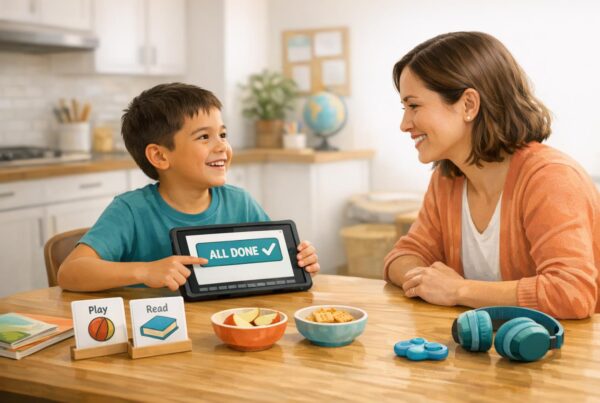
- Embed it into routines. Use it at meals, transitions, play, reading, errands, and chores. Consistency across settings is where progress shows up. .
- Plan for breakdowns. Have a low-tech backup, and teach simple repair language like “help” and “try again.” Breakdowns are normal and to be expected.
If you do nothing else this week, do step four and step five. Personalize, and model. That combo changes everything.
What about “device abandonment,” and why kids stop using AAC apps on iPads.
Device abandonment is real. It happens when the tool feels too hard, too babyish, not relevant, or when the child does not see it used in real conversation. The fix is usually not “more drills.” The fix is better fit and better community support.
Here are a few patterns I see again and again.
- Too many buttons too soon. The layout overwhelms the child.
- Only requesting is taught. The child never experiences the joy of commenting, joking, or asking questions.
- Vocabulary is not updated. Interests change. The device should change too. .
- Adults do not model. The child rarely sees how it works in real life. .
If your child is resisting their AAC app, I want you to know something. Resistance is data. It is not failure. It is information that something needs adjusting.
Privacy and safety, what to consider when your child uses an iPad AAC app.
This part matters, and it is easy to skip when you are just trying to survive the day. Many AAC apps are designed for children, which brings real privacy responsibilities for companies and real decision points for families.
If an app collects personal information from children under 13, it may fall under COPPA in the United States. . Voice recordings can count as personal information, which is especially relevant for AAC apps that store voices, profiles, or recordings. .
If you want to read more about COPPA directly, you can review the Federal Trade Commission’s COPPA information here, [https://www.ftc.gov/legal-library/browse/rules/childrens-online-privacy-protection-rule-coppa](https://www.ftc.gov/legal-library/browse/rules/childrens-online-privacy-protection-rule-coppa).
If you are an SLP selecting tools, it is worth checking whether the app has clear policies, secure logins, and minimal data collection. A proactive privacy approach builds trust with families. .
How to know if an iPad is helping your autistic child, and what progress can look like.
Progress is not always “more words.” Sometimes progress is fewer meltdowns because your child can finally say “stop.” Sometimes progress is your child bringing you the device to show you something. Sometimes it is one spontaneous “hello” to someone new.
One of the most helpful frameworks I have seen is focusing on small wins that build confidence over time. These wins are the early signs that your child believes communication works.
Examples of meaningful progress.
- Your child initiates any message without being asked.
- Your child uses the iPad AAC in a new setting, like the grocery store.
- Your child communicates a refusal appropriately, like “no” or “stop.”
- Your child repairs a misunderstanding, like trying again when the message did not land.
- Your child comments or jokes, not just requests.
If you are tracking progress, I recommend tracking function instead of only counting buttons. Ask, “Is my child using this to participate in life more?” That is the metric that matters.
FAQs about iPads and autism.
Is an iPad good for autism if my child is nonverbal?
It can be, especially as an AAC speech-generating tool. AAC gives non-speaking children a way to express needs, preferences, refusals, comments, and ideas. The biggest factor is support from adults through modeling and consistent access. .
Will AAC on an iPad stop my child from talking?
AAC is a language support tool, not a speech “replacement” in the sense people fear. In practice, AAC often reduces frustration and increases opportunities for language. If you want individualized guidance, this is a great question to bring to your SLP because the plan should match your child’s profile.
How do I stop the iPad from becoming an all-day obsession?
Separate communication access from entertainment when possible, and create predictable routines for when games and videos happen. Also increase the iPad’s role as a communication tool across the day so it is not only associated with high-reward content. Embedding AAC into routines is often more effective than trying to “take it away” suddenly.
What are the most important AAC habits if we use an iPad?
Make it available, model without pressure, personalize vocabulary, and focus on core words for real conversations. Also keep a low-tech backup for times the device is dead or unavailable.
Can an iPad help with reading and writing for autistic kids?
Yes, especially when AAC is integrated into literacy activities so the child can answer questions, retell stories, and participate in writing tasks. . This can be a huge access point for non-speaking learners.
Final thoughts, the iPad is not the intervention, it is the access.
If you take one thing from this post, I hope it is this. An iPad can be a wonderful support for an autistic child when it increases communication, participation, and independence. It can be a frustrating tool when it becomes the only coping strategy, or when it is treated like a test instead of a language system.
So what does this mean for you? If you are a parent, start small. Pick a couple of core words, personalize the vocabulary, and model one or two messages in real routines every day. If you are an SLP, focus on team training and carryover so the device lives everywhere, not only in your therapy room.