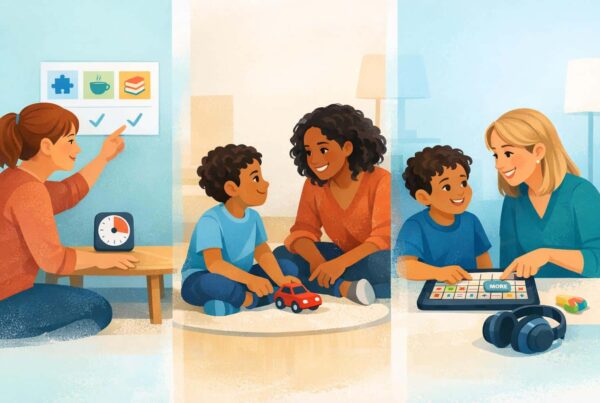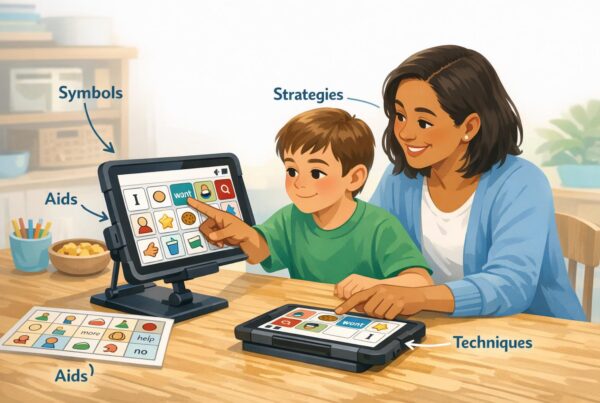
AAC, or augmentative and alternative communication, can be life changing for many people with complex communication needs. It can also come with real downsides that families and SLPs deserve to talk about plainly. The biggest negatives of AAC are usually not about AAC “causing harm,” but about barriers such as cost, training demands, inconsistent support across environments, social stigma, device complexity, technical breakdowns, and privacy considerations for AAC apps. When teams plan for these issues early, they can prevent frustration and reduce the risk of device abandonment.
What counts as a “con” of AAC, and why this question matters.
Parents ask this question because they want to protect their child from something that feels intimidating, especially when it involves technology, disability visibility, and school systems. SLPs ask this question because they have seen AAC systems sit on shelves after the funding paperwork clears. A “con” or a “negative” can mean a true limitation of a tool, but it can also mean a mismatch between the tool and the person, or a mismatch between the tool and the environment.
It helps to frame AAC negatives into two separate categories.
- System level downsides: May include insurance delays, training access, and school buy in.
- Daily life downsides: May include forgetting the device, slow message creation, social stigma, and tech issues.
When a family tells me, “AAC did not work,” it is often one of these barriers that did the damage. It is rarely that AAC in and of itself was a poor idea.
Negative #1. AAC can be expensive, and funding can be slow.
High tech AAC can be costly. Dedicated speech generating devices, robust tablet setups, protective cases, mounts, and ongoing app subscriptions add up fast. Even when insurance or a school district covers it, the timeline can be long. In the meantime, families may feel stuck, or they may try a cheaper option that is not a good match, which increases frustration.
A practical way to reduce this negative factor is to treat low tech AAC as a real system, not as a placeholder. Families can use communication boards, printed core boards, and simple choice boards while funding is in progress. Keeping a low tech backup is also a best practice even after a device arrives, because tech fails and life gets messy.
Negative #2. AAC requires training, and not everyone gets enough of it.
AAC is not “turn it on and language happens.” Most AAC success depends on partner skills. This includes parents, teachers, paraprofessionals, siblings, and therapists understanding how to model language, how to respond to attempts, and how to build communication opportunities across the day. When training is limited, AAC use often becomes inconsistent and narrow.
One of the most common pitfalls is expecting the AAC user to do all the work. A supportive communication partner is essential to AAC success. The communication partner should be trained in providing foundational support through AAC modeling, which is sometimes referred to as aided language stimulation (ALS).
Being a supportive communication partner is about so much more than prompting an AAC user to “say it on your talker.” That approach can become exhausting and discouraging for everyone involved. A strong plan includes adult modeling during routines like meals, play, errands, and reading.
Negative #3. Inconsistent use across settings can stall progress.
AAC often works better in one place than another. Many kids use it at therapy and then barely touch it at home. Others use it at home but not at school. This inconsistency makes AAC feel less powerful, because communication only “works” with certain partners in certain settings.
This is also one reason that AAC may become unfairly labeled as “not effective.” The AAC user may be learning, but the environment is not supporting enough repetitions and real communication opportunities. Instead of more drill-work, the solution is better integration into daily life, with specific routines where the AAC device is always present and always modeled.
Negative #4. AAC can be hard socially, because it makes disability visible.
This one matters, especially for older kids and teens. Some AAC users feel self conscious using a device in front of peers. Some get stared at. Some get underestimated. Some schools still have outdated attitudes, where AAC is treated like a “baby tool” instead of a valid voice. Social resistance and stigma are real barriers that can reduce use.
The good news is that stigma is not fixed, and can be reduced by treating AAC as normal classroom participation, inviting peers into modeling, and customizing vocabulary and visuals to be age-appropriate. Be aware that children can be sensitive and become more self conscious as they grow older. What may have interested them and been placed on their device at age 5, may no longer be something they care about. It is not uncommon for a child to stop using a device because it feels “babyish,” only to re-engage later when the device has been updated to reflect current interests.
Negative #5. Some AAC systems feel too complex, especially at first.
Cognitive overload with a device is a common complaint. A device with hundreds of icons can look like a wall of tiny buttons. Families may worry the child will never find anything. Some clinicians also fear that more buttons equals more confusion.
Complexity becomes a problem when the system is not matched to the person’s access needs, visual needs, motor profile, and current communication stage. It also becomes a problem when adults only focus on “right answers,” instead of using AAC as a language environment.
Two practical strategies can help.
- Simplify the home screen. Less is more. Hide rarely used buttons and highlight core, daily vocabulary.
- Start with short models. One or two words is plenty at first, even if the system supports full sentences.
Also, personalization matters more than most people think. If the words on the device do not fit the child’s real interests, AAC will feel pointless. Updating vocabulary for hobbies, favorite shows, characters, family names, and inside jokes is one of the fastest ways to reduce resistance.
Negative #6. AAC can get stuck in “requesting only,” which limits language growth.
This is a sneaky consideration. It is not a flaw of AAC, but it is a common outcome when AAC is taught too narrowly. If AAC only appears at snack time, kids learn “AAC is how I ask for crackers.” They do not learn “AAC is how I tell you I am mad,” or “AAC is how I joke,” or “AAC is how I share a story.”
When AAC is limited to requesting, families sometimes conclude that the child is not capable of broader language, which can lower expectations. Modern AAC practice emphasizes core words and real conversation functions, including comments, questions, refusals, and social language.
Tip for parents and SLPs. If AAC seems to “not be working,” check whether the child is only being given chances to request. Add opportunities to comment, refuse, ask questions, and tell stories, and model those functions yourself on the system.
Negative #7. Tech problems happen, and they can derail momentum.
Batteries die. Apps crash. Tablets get left at home. Touch screens break. Passwords get changed. Chargers disappear. This is not a small issue, because communication is not optional. When a child depends on AAC and the device is unavailable, the risk of frustration goes up, and participation goes down.
This is why experienced teams plan for “AAC everywhere,” plus backups. Print boards for the pool, outdoors, and messy activities. Build simple routines for charging and transporting the device. Teach the support team basic troubleshooting.
It also helps to build small device care routines that give the AAC user ownership, like grabbing the device before meals or plugging it in at night. That type of routine reduces forgotten device problems over time.
Negative #8. Privacy and data security concerns are real for AAC apps.
If you use an AAC app that collects data, stores voice recordings, or connects to third party services, privacy matters. Many AAC users are children, and that adds legal and ethical complexity. The Children’s Online Privacy Protection Act, or COPPA, sets requirements for collecting personal information from children under 13.
There are also platform rules that can be stricter than federal law. For example, Apple’s Kids Category guidelines restrict transmitting personally identifiable information to third parties, and Google Play’s Families Policies restrict certain identifiers and require careful vetting of SDKs.
If you are a parent, you do not need to become a privacy attorney, but you can ask smart questions.
- Does the app store or share any voice recordings?
- Does it collect analytics, identifiers, or location data?
- Is there clear parental consent and a transparent privacy policy?
If you are an SLP, privacy should be part of your AAC conversation, especially when recommending apps or supporting families in choosing an option that fits school and home use.
Negative #9. AAC can be physically difficult to access for some users.
Not every child can easily touch small icons on a screen. Motor differences, visual differences, and fatigue can make certain AAC setups frustrating. If access is hard, communication becomes slow and effortful, and people may avoid it.
Many stalls with AAC are actually access problems, not language problems. The solution to these challenges is not simply telling the AAC user to “try harder.” Instead, access customization should be considered. Access customization may include larger buttons, alternative selection methods, keyguards, switches, eye gaze, and mounting setups. A consultation with an occupational therapist familiar with AAC access may also be warranted.
Negative #10. Device abandonment is common enough that we should plan for it openly.
Device abandonment occurs when an AAC system is obtained but not consistently used. This is one of the most painful outcomes, because everyone put in effort, paperwork, and hope. The causes are usually predictable.
- Lack of buy in. The user and family do not feel it fits their life.
- Too much complexity. It feels like a chore rather than a voice.
- Limited modeling. The user is expected to perform without enough support.
- Low social acceptance. Peers or staff treat it as “less than.”
- Inconsistent routines. The device is not present when communication is needed.
Planning for these risks from day one is one of the most logical steps a team can take. That means simple routines, partner training, regular vocabulary updates, and a low tech backup system that goes everywhere.
How to reduce AAC downsides without losing the benefits.
If you are reading this because you are unsure whether AAC is “worth it,” here is the most grounded way to answer that question. AAC is most definitely “worth it” when treated as continuous language access, not a one time product purchase. The negatives become significantly lessened as we build a support system around the communicator.
Five simple weekly questions for families and SLPs.
- Is AAC available? Is it charged, within reach, and coming to the table and the car?
- Is AAC being modeled daily? Are adults using it to speak, not just prompting the child?
- Is vocabulary relevant? Does it include current interests, people, and real life phrases?
- Is the child allowed to say more than requests? Are you modeling comments, refusals, and questions?
- Do you have a backup? Is there a printed board for emergencies and wet/messy environments?
FAQs about the “cons” or negatives of AAC.
What are the disadvantages of AAC for autism?
The main disadvantages are not autism specific. They include inconsistent support, limited adult modeling, device stigma, access difficulties, and tech breakdowns. In autism, you may also see AAC get incorrectly limited to requesting, which reduces communication growth. Expanding to core words and real conversation functions helps.
Can AAC slow down speech development?
Many families worry about this. In practice, teams often introduce AAC as a way to increase communication, reduce frustration, and build language access early. A more immediate and common risk is the opposite problem, which is that communication is restricted while waiting for speech. If you are concerned, talk to your SLP about goals that support speech, AAC, and multimodal communication together.
Why do some kids refuse to use their AAC device?
Common reasons include the system feeling too difficult, vocabulary not matching their interests, social stigma, or a history of being pressured to “perform” instead of being supported through modeling. Personalizing vocabulary, simplifying screens, and modeling without pressure can help rebuild trust.
What is device abandonment in AAC, and how do you prevent it?
Device abandonment occurs when a device is acquired but not used consistently. Prevention usually includes partner training, daily modeling, routines that keep the device present, relevant vocabulary updates, and low tech backup supports.
Are AAC apps safe for privacy, especially for children?
Some are, and some require more careful review. Child directed apps must consider COPPA requirements, and app stores have additional policies restricting data transmission and identifiers in children’s categories. Read the privacy policy and ask whether voice recordings or personal data are stored or shared.
Closing thought for parents and SLPs.
The honest “cons” of AAC are real, and you are not “negative” for wanting to understand them. Cost, training gaps, inconsistent environments, stigma, and tech issues can make AAC feel burdensome. At the same time, these barriers are also workable when you name them early and build a plan that fits your child and your life. A strong AAC approach is flexible, personalized, modeled by adults, supported across settings, and backed up with low tech options.